

-
Direct To Garment (DTG) 0
-
Getting Started 19
-
Texjet® Garment Printers 58
-
Textile Applications 30
-
RIP Software 27
-
PreTreater Pro 15
-
Troubleshooting 20
-
-
Direct To Film (DTF) 1
PreTreater Pro: Monthly maintenance


At the end of every month, PreTreater Pro must undergo a certain maintenance procedure, in order to continue work properly and therefore, prolong its lifespan. For this reason, each month, you must check the tank filters for any pretreatment residue, plus clean the liquid collecting mat.
Check and clean the L1, L2 tank filters
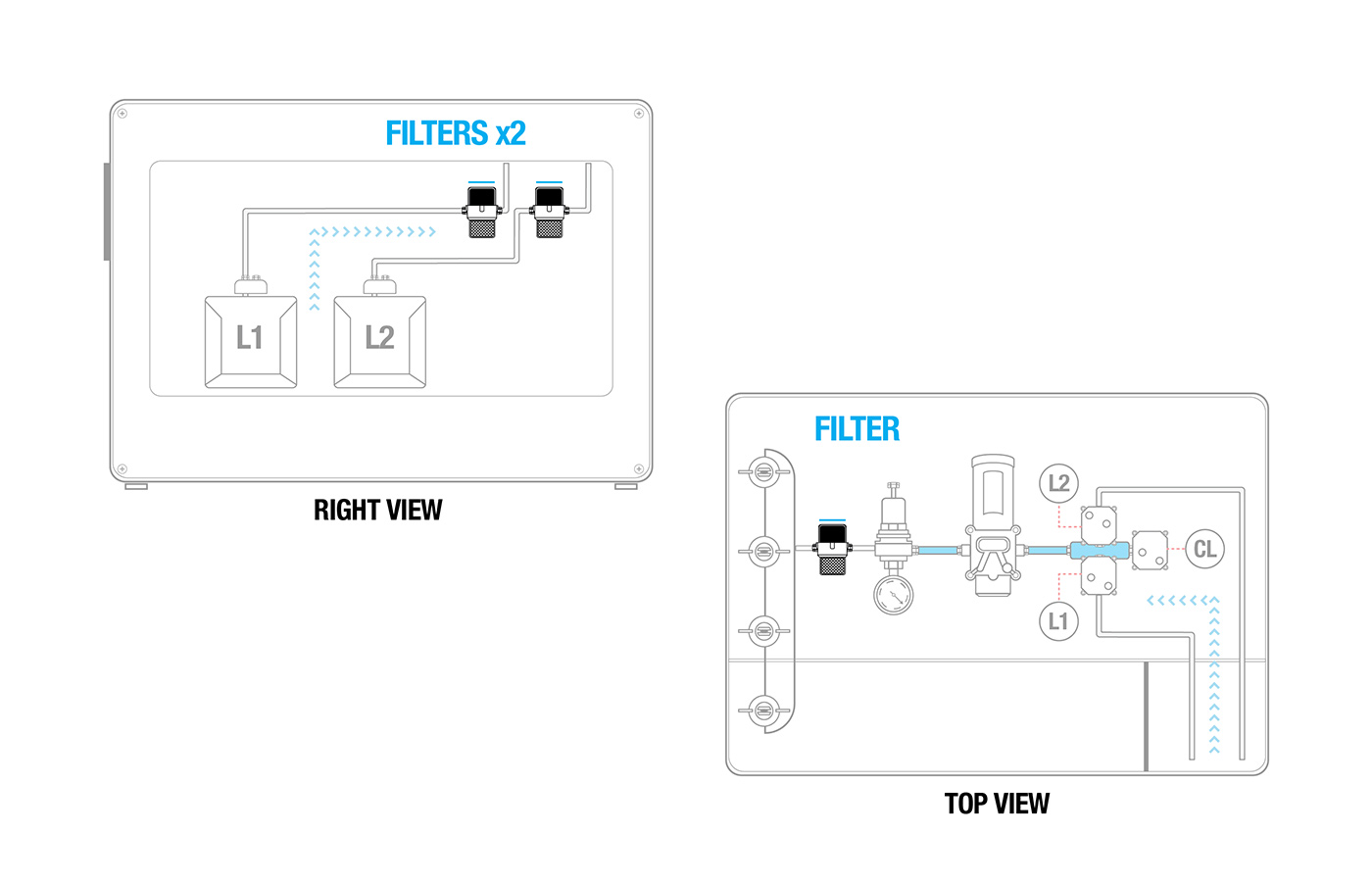 The two filters are located in the Tank Compartment.
Step 1
Unscrew the filter cap to remove them.
Step 2
Clean them with water.
Step 3
Reposition them. Make sure they are in their initial place.
Note: There is no need to empty the tubes from liquid to do this procedure.
Clean the Liquid Collecting Mat
The liquid collecting mat is located beneath the Nozzle Carriage.
Step 1
Open the Nozzle Access Cover.
Step 2
Remove the Liquid Collecting Mat.
Step 3
Clean it with water.
Step 4
Reposition it. Make sure it is, in its initial place.
Tip: Check here how to perform the two-month maintenance routine:


