

-
Direct To Garment (DTG) 0
-
Getting Started 19
-
Texjet® Garment Printers 58
-
Textile Applications 30
-
RIP Software 27
-
PreTreater Pro 15
-
Troubleshooting 20
-
-
Direct To Film (DTF) 1
TexJet shortee2: Long inactivity maintenance guide


Long inactivity maintenance is recommended for printers that will stay idle for more than a month and will be put in storage. In this maintenance procedure, the ink flow route must be cleaned. For this reason, the ink system and the printhead channels must be flushed with cleaning solution.
Cleaner Charge
The Cleaner Charge process is used for advanced maintenance purposes, such as in case of long-time idleness or transportation. By means of equipment is the same as the Ink Charge process, but instead of ink, the cartridges are loaded with cleaner solution. This way, a very powerful printhead cleaning is performed and the system is drained from ink. The Cleaner Charge is executed via the Digital Factory Apparel v10 Polyprint Edition RIP software.
In order to safely put to storage your printer, make sure that you follow the detailed Cleaner Charge guide, so the ink flow route can be safely discharged from ink: TexJet shortee2: How to perform the Cleaner Charge process
Maintenance
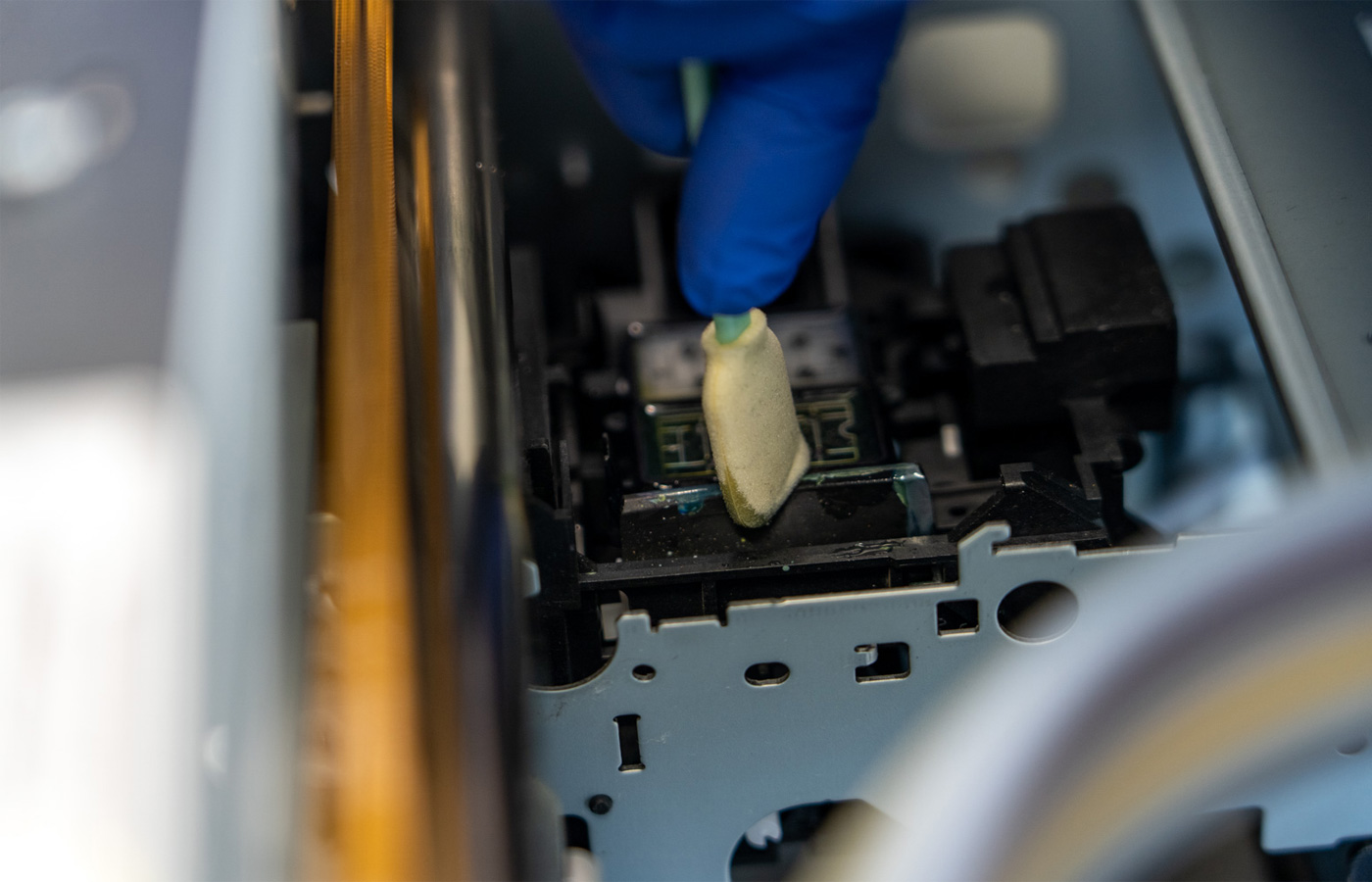
Perform the typical maintenance procedure in order to clean the capping station, wiper and printhead bottom from any remaining ink.
Daily maintenance guide for TexJet shortee2
Caution: When storing the printer, avoid places that are subjected to rapid changes in temperature and humidity levels. Also, keep the printer away from direct sunlight and heat sources. Ideal storage conditions are around 20°C temperature and 55% humidity levels.
Note: When the time comes and the user wants to print again, he has to perform the Ink Charge process so the ink system is purged from cleaner and filled with fresh ink.


