

-
Direct To Garment (DTG) 0
-
Getting Started 19
-
Texjet® Garment Printers 58
-
Textile Applications 30
-
RIP Software 27
-
PreTreater Pro 15
-
Troubleshooting 20
-
-
Direct To Film (DTF) 1
PreTreater Pro: Long inactivity maintenance


The long inactivity maintenance type is recommended for when the machine stays idle for an extended period of time, for when it will be put in storage or be transported to another location. If one of these cases occur, then you must bring the machine to Storage Condition.
Storage condition
Step 1
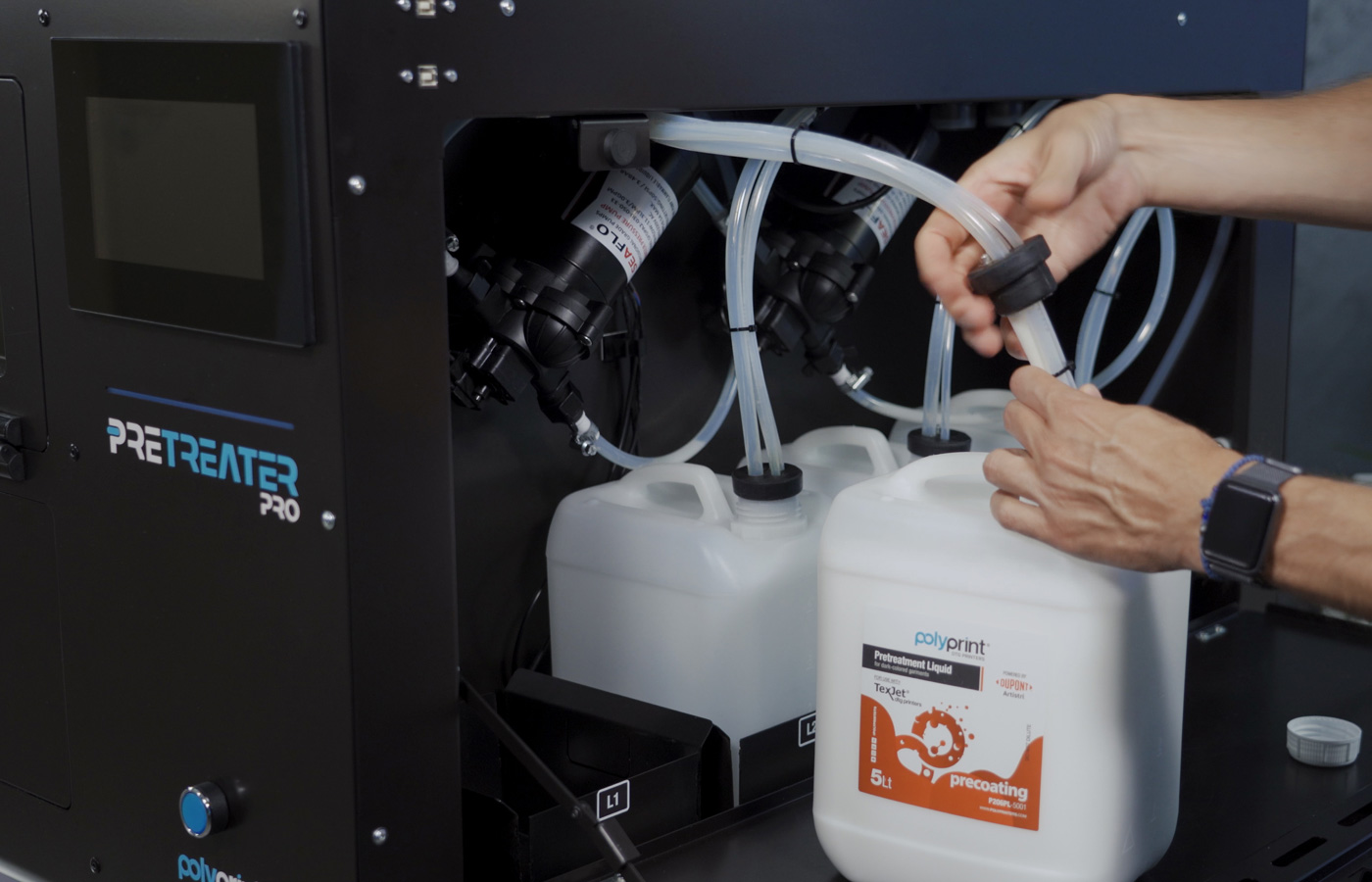
Remove the L1, L2 tanks’ tubes and hold them above the tank, to empty them, from the remaining pretreatment liquid.
Step 2
Replace the L1, L2 tanks with the pretreatment liquids with tanks filled with distilled water.
Step 3
Check that the CL Tank is full of distilled water.
Step 4
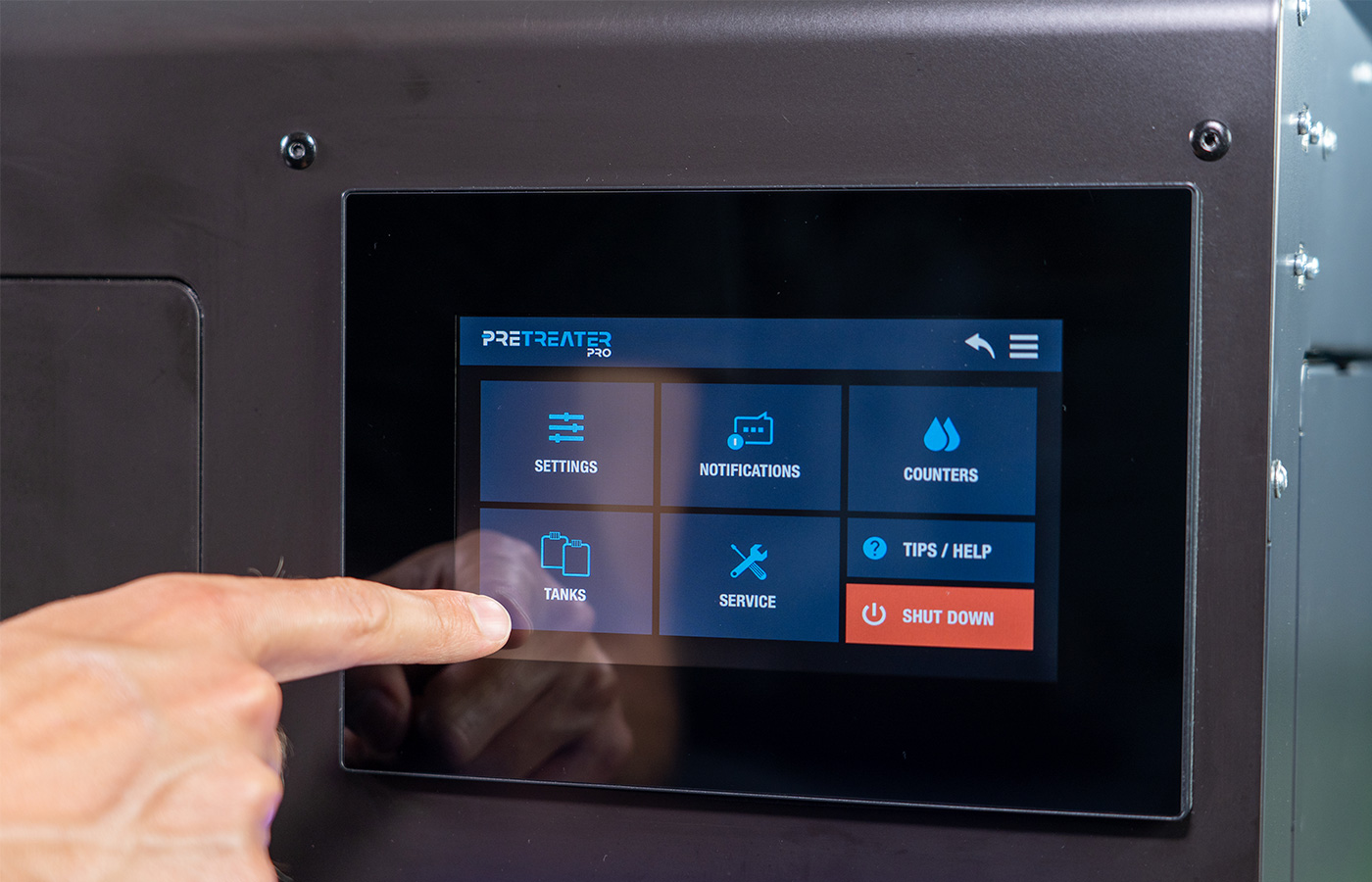
On the Home screen, tap on the Menu button and select Tanks.
Step 5
Perform a Liquid Charge, by selecting L1, L2, CL, one-by-one, in any order. This will fil all the lines with distilled water.
Step 6
On the Menu screen, tap on Service.
Step 7
Set the Initial Charge Flag to ON.
Step 8
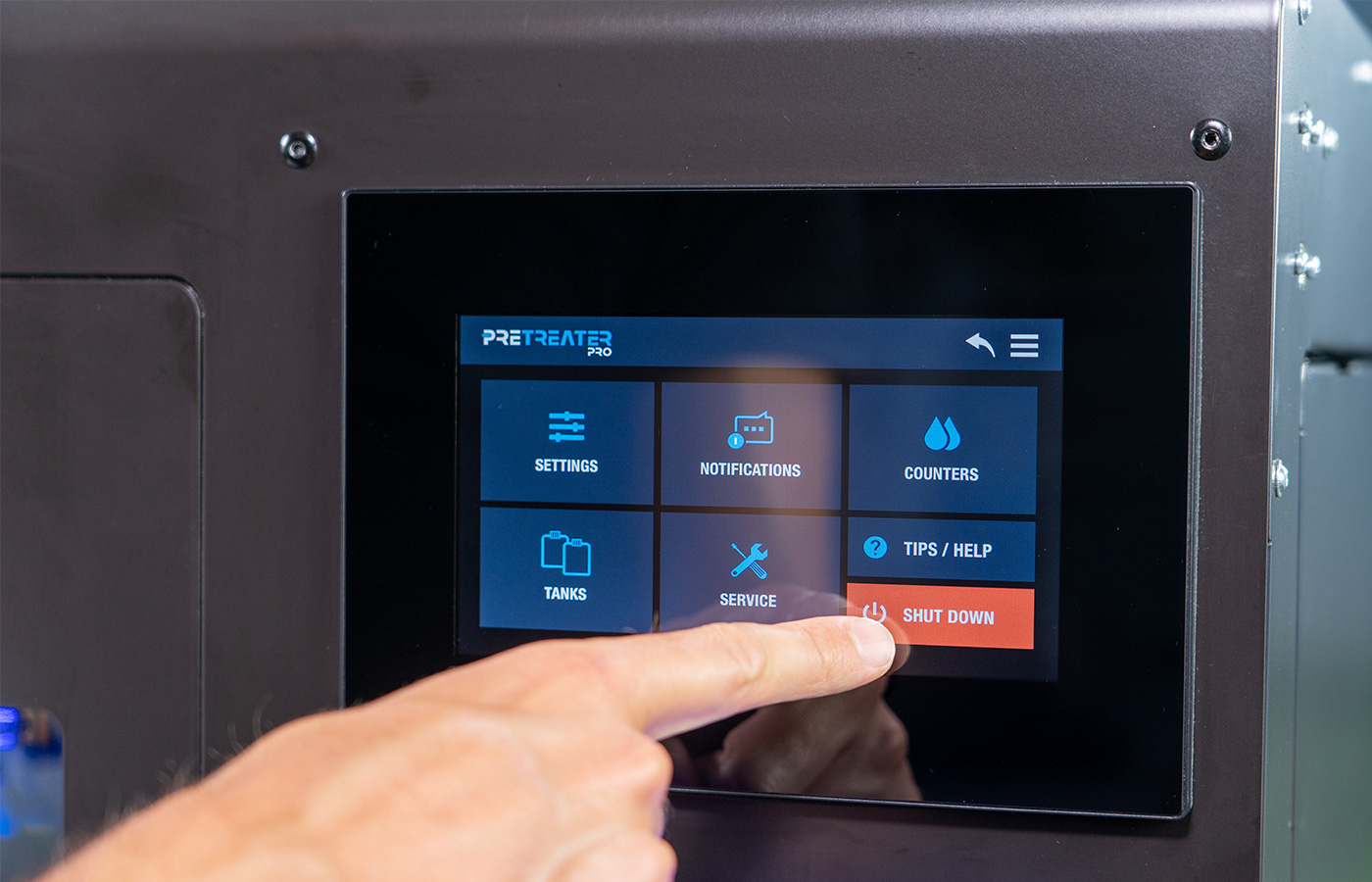
Tap on the back icon and select the Shutdown button.
Step 9
Click Yes to flush with distilled water the main line and nozzles.
Step 10
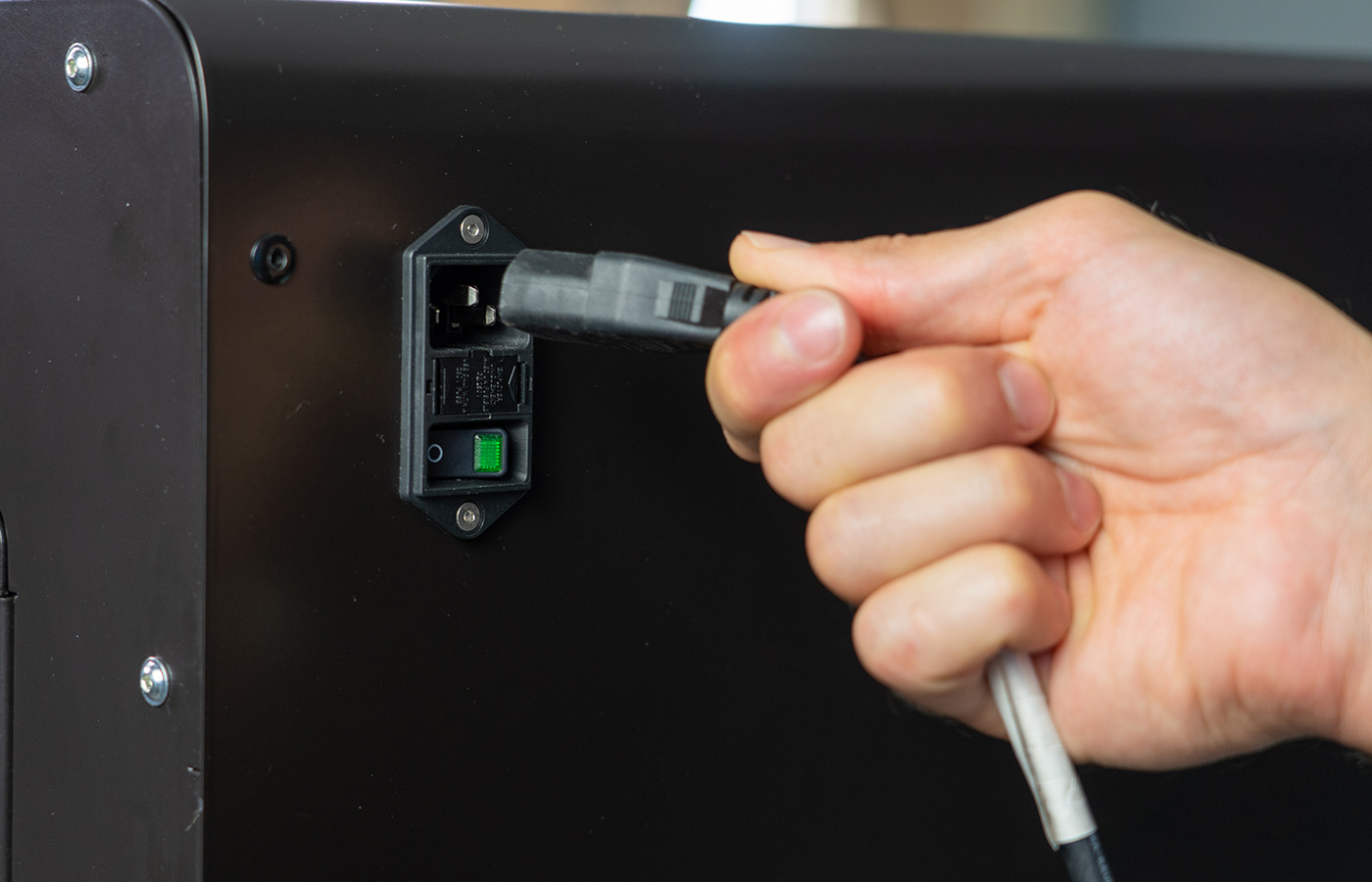
When finished, PreTreater Pro will shut down. Close the Main Switch at the back of the machine and remove the Power Cable.
Step 11
Remove the 4 nozzles from the Nozzle Carriage and place them in the ultrasonic device.
Step 12
Clean the Waste Collector, as when performing the Two Month Maintenance routine.
PreTreater Pro: Two month maintenance
Step 13
Empty all Tanks from liquids and place them back, empty. Place the tubes back into the Tanks and seal the caps.
Notes:
- When the machine has been maintained for Long Inactivity Storage Condition, there is no need to follow up with the maintenance schedule.
- To restore PreTreater Pro after the Long Inactivity-Storage Condition state, follow the instructions as described in the Installation Guide.
PreTreater Pro: Unboxing & installation
Transporting PreTreater Pro
Step 1
Perform the maintenance procedure Long Inactivity Storage Condition, as described previously.
Step 2
Lock the Nozzle Carriage in position with the yellow Safety Bar.
Step 3
Ensure that all the Tanks are empty.
Step 4
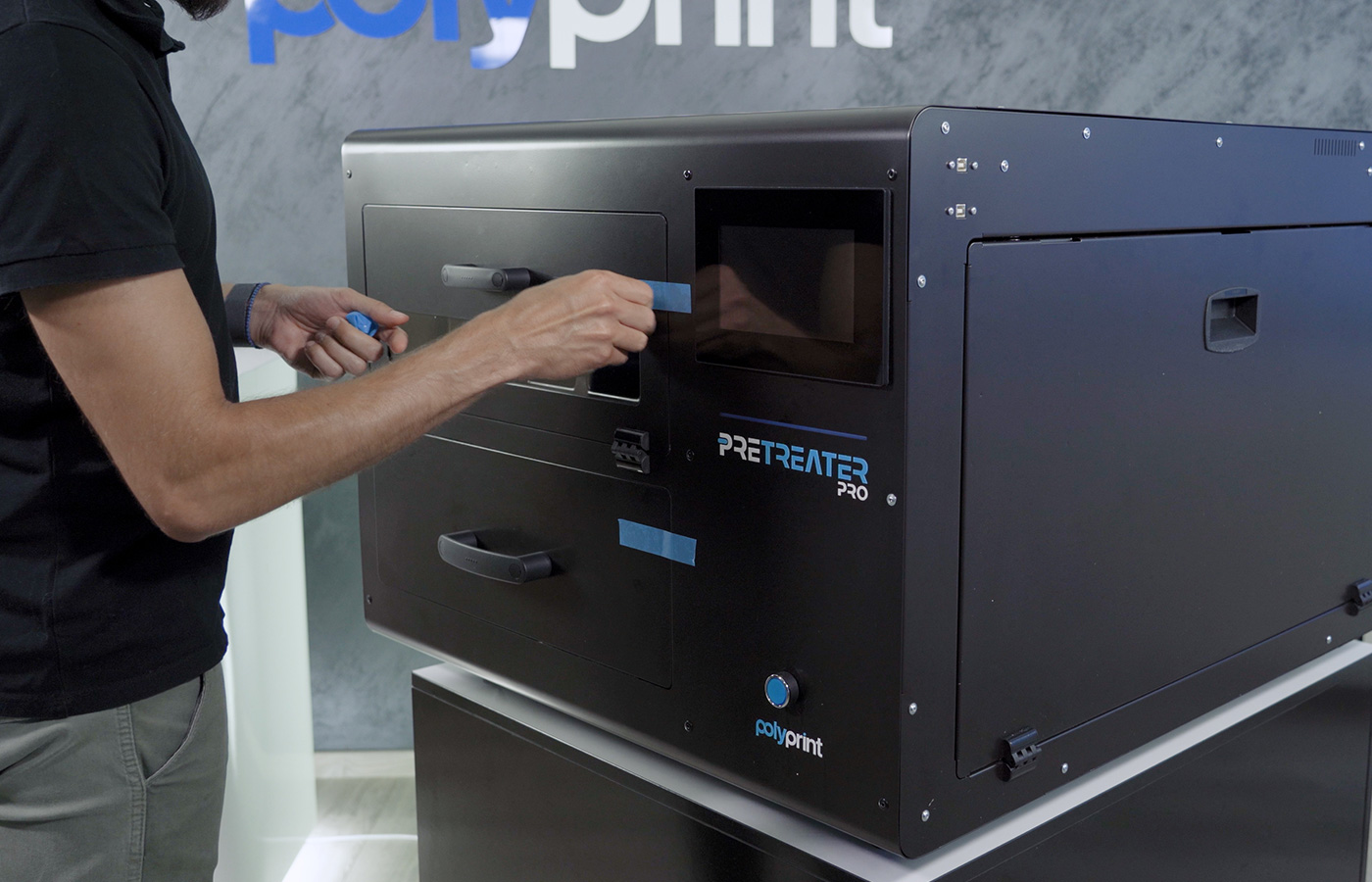
Place tape to all covers to keep them properly secured into place.
Caution: Before moving the machine to another location/position, ensure that the tank caps are in place and sealed, so any remaining liquid cannot spill out. Try to not tilt PreTreater Pro, while the liquid tanks are full, or inside the machine, and the waste collector is not properly cleaned.


