

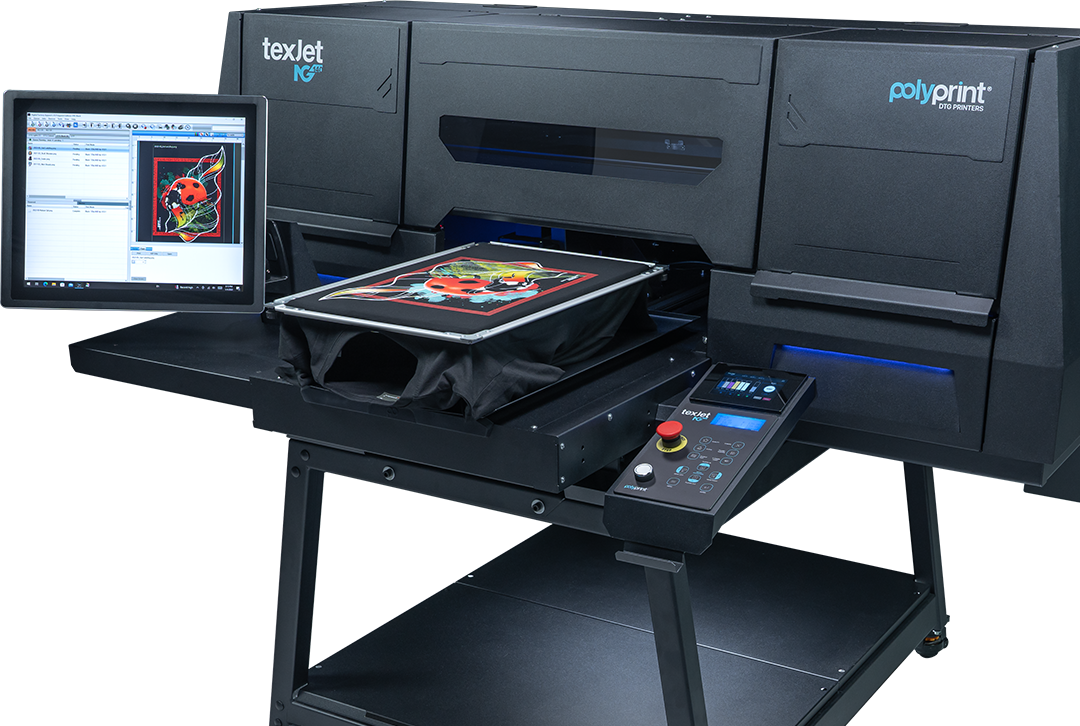
Available hybrid print modes on Digital Factory Apparel Polyprint Edition v10 for TexJet shortee2


TexJet shortee2 CMYKW hybrid print modes
The Screen & Digital MIX process for dark-colored garments consists of a white screen paste as an underbase and a digitally printed CMYK layer. Due to the different underbase between this hybrid technique and the standard DTG process (uses white water-based pigment ink) different printing modes have been designed to accurately print CMYK inks.
How to perform Screen & Digital Mix on dark colored garments with TexJet printers
Color/Black Hybrid Production DTG
Offers the best balance between print quality and productivity. Perfect for the average user, as it achieves the best printing quality in the lowest time possible.
Color/Black Hybrid Quality DTG
The CMYK inks are printed in a higher resolution, meaning the printhead performs smaller steps. This way, ink consumption and printing time are increased. Keep in mind that due to higher ink consumption, the cost per print will be more expensive, when compared to other print modes.
Color/Black Hybrid Speed DTG
The resolution and printing time drop. With this mode you have less ink quantity, in comparison with Production or Quality mode, therefore its more economical and results in a less vivid outcome.
Note: The printing modes mentioned above have the same characteristics with those that are used in the White shirt queue. The only difference is that are preconfigured in a way that compliments the white screen paste as a substrate.
Color/Black Hybrid Screen for DTG
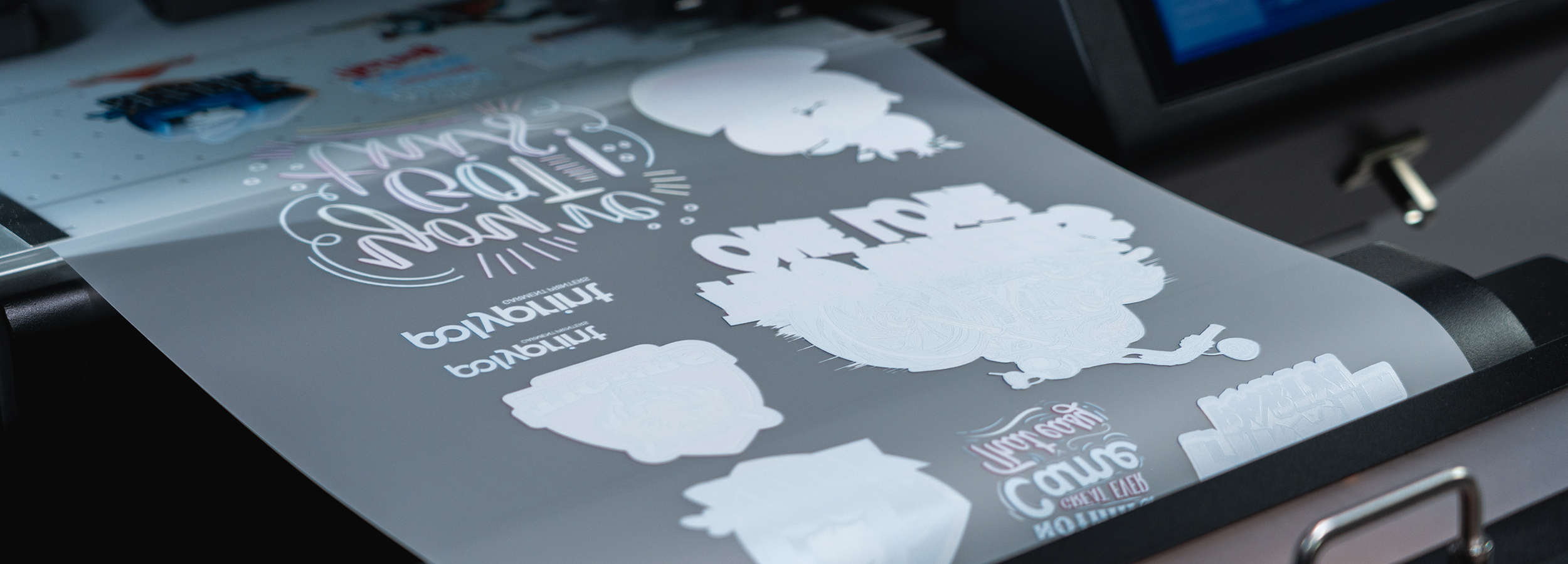
This particular mode is used only when the user proceeds with screen exposure. The design is printed on a transparent film and the CMYK colors are completely blackened out. This film is later used to create the stencil that will end up on the screen.
TexJet shortee2 2xCMYK hybrid print modes
When your printer has a double CMYK ink configuration, it means that you only have the option of a white screen paste for an underbase on dark-colored garments, instead of a white water-based pigment ink. For this reason, different hybrid printing modes (than those described above) have been designed for accurately printing the CMYK inks.
Color/Black 720x360 Hybrid DTG
The CMYK resolution is lower, therefore the printing time is faster. The printhead sprays less ink, so its a more economical solution and results in less vivid outcome.
Color/Black 720x720 Hybrid DTG
The CMYK inks are printed in a higher resolution. This way, the ink consumption is increased, alongside the printing time. This hybrid mode offers the best balance between print quality and productivity.
Color/Black Screen for DTG
As, mentioned before, this particular mode is used only when the user proceeds to screen exposure. The design is being printed on a transparent film and the CMYK colors are completely blackened out. This film is later used to create the stencil that will end up on the screen.
Drivers installation guide for hybrid print modes
Step 1
From the toolbar, choose Devices and then, the Manage Print Modes option.
Step 2
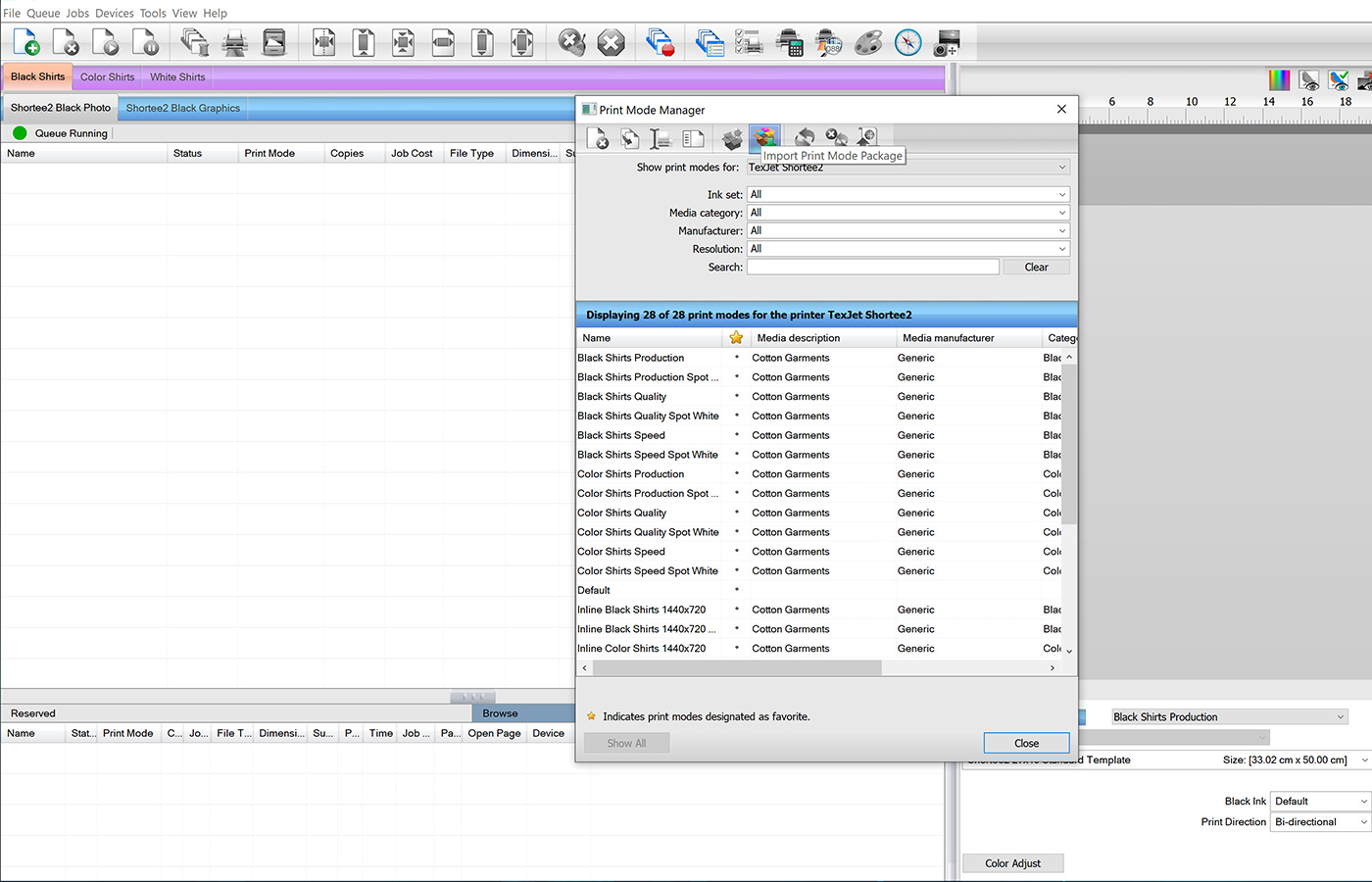
Tap on the Import Print Mode Package icon (6th in row). At the window that pops-up, in the section “Locate print mode export archive” tap the button on the right. Browse to C:\Digital Factory Apparel Polyprint Edition v10\Optional Features.
Step 3
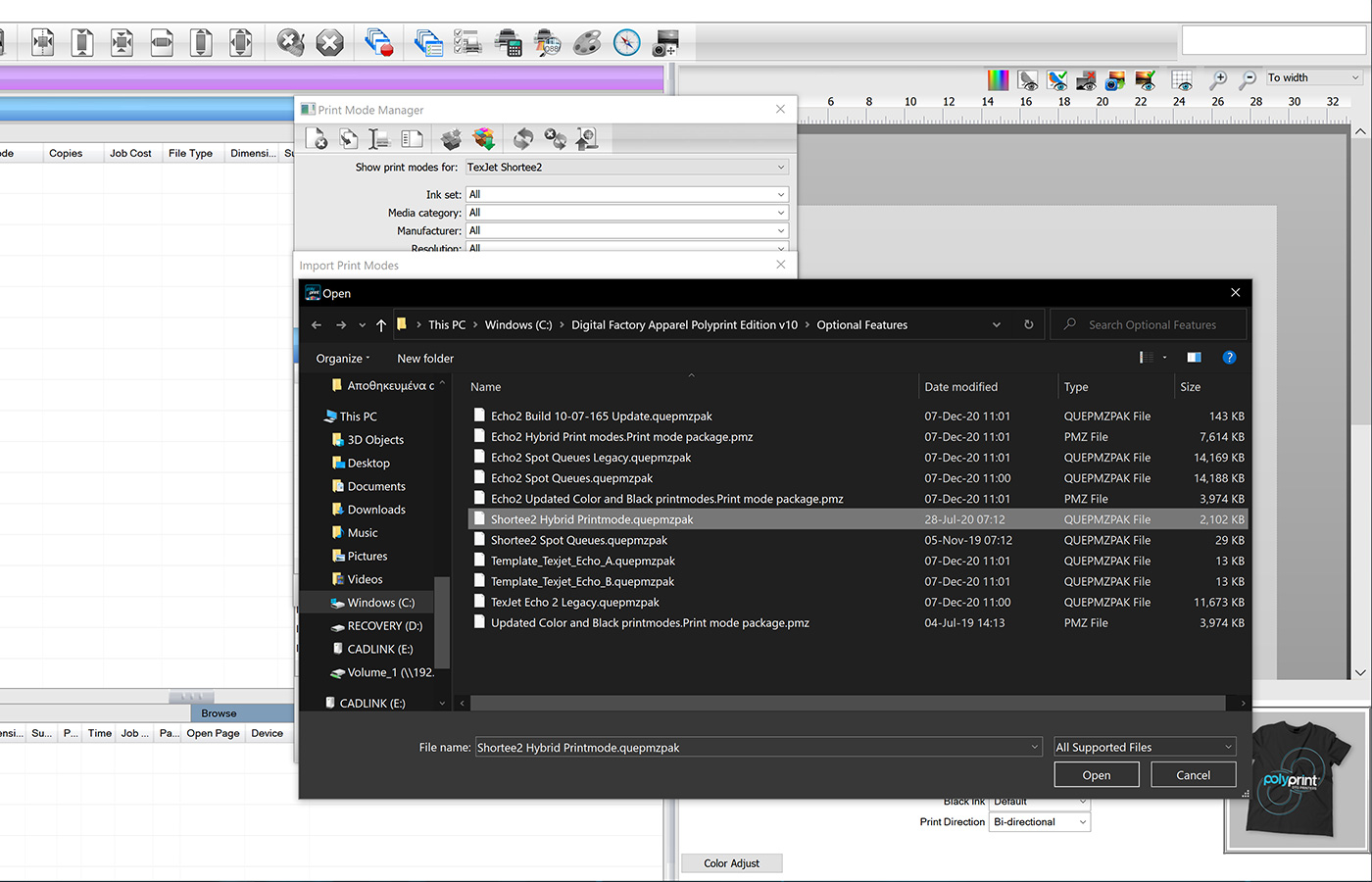
Choose the driver according to your printer’s ink configuration. If its CMYKW, select Shortee2 Hybrid Print Modes or if its 2XCMYK then select Shortee2 CMYK Hybrid Print Modes and then Open.
Step 4
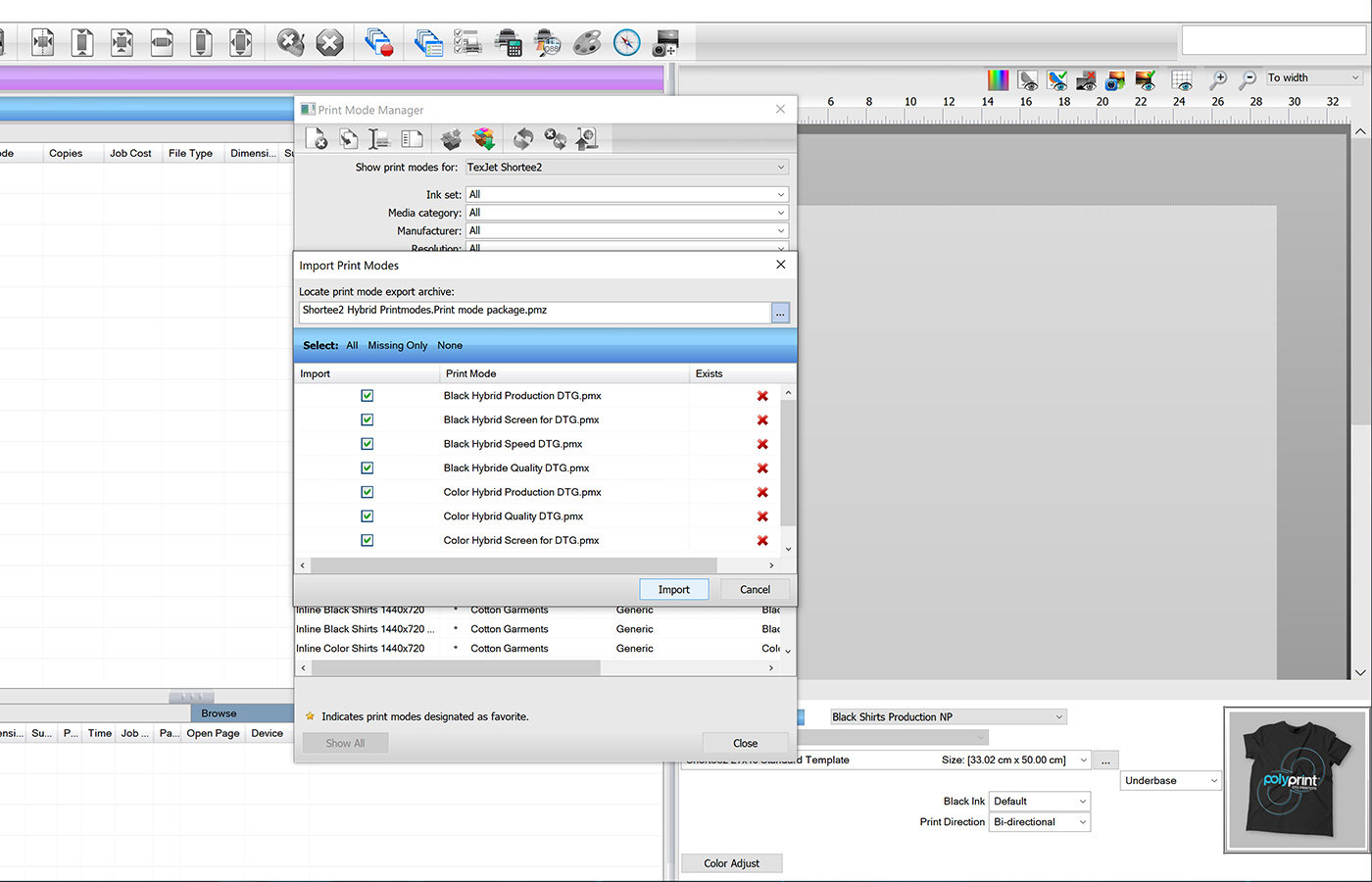
Select All, in order for the modes to be uploaded in all the print queues and then tap on Import. After you Close the window, all the hybrid print modes will be installed in your software.


